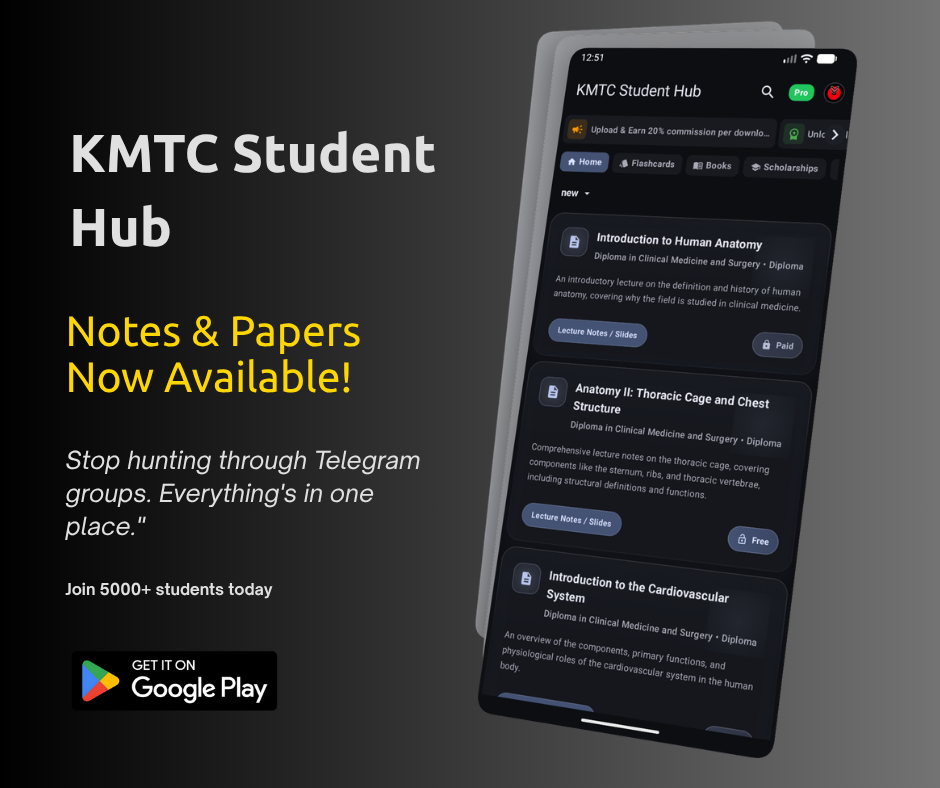
KMTC Student Hub brings past papers, FQE revision, lecture notes and flashcards into one study app for Kenya Medical Training College students. Use it to find a paper for your course, practise the questions and return to the notes behind the answers.
Download KMTC Student Hub from the app's download page, which lists the Google Play option and the available Android APK. If you want to inspect a resource first, the StudoKe notes library opens in your browser.
What is KMTC Student Hub?
KMTC Student Hub is an independent study app by StudoKe. It is built around revision materials, not college administration: you can read notes, work through past papers, test yourself with flashcards, save useful material and organise downloaded files.
It is not the official KMTC student portal. College admission, self-reporting, fee records and other official student processes belong to the college's own services. Your study-app account is not a replacement for those portal credentials.
That distinction matters if you arrived here after searching for “KMTC Student Hub login”: this guide is about the revision app and its library, not logging into the college's administrative system.
KMTC past papers and FQE revision: what can you study?
The library contains identifiable papers rather than only general exam advice. Examples available when this guide was checked include:
- Medical-Surgical Nursing FQE, covering shock, skin disorders, uveitis and intestinal obstruction. The paper includes multiple-choice, short-answer and care-plan questions.
- Midwifery FQE, with questions on preconception care, abnormal labour, birth injuries and newborn care.
- Child Health and Research Methods FQE, combining child health, research methods, teaching and other examination topics.
Open a paper's detail page and check its course, document type and description before using it. A resource labelled FQE serves a different purpose from a lecture handout or a single-semester paper. Likewise, an old paper is a practice resource, not a prediction of the questions you will receive.
Do not assume every past paper includes a marking scheme. Check the resource description and preview for what that particular file contains.
Turn notes into an active revision session
Reading a chapter repeatedly can make its wording feel familiar without showing whether you can answer an exam question. A more useful way to combine the app's resources is:
- Choose one topic from your course and open a relevant set of notes.
- Read the section you need, then close it and attempt a related past-paper question.
- Compare your answer with the notes, your lecturer's guidance and any answer material actually included with the paper.
- Write down the point you missed and revisit it in your next session.
For example, work through the intestinal-obstruction care-plan question in the medical-surgical FQE paper, then review the relevant nursing notes. Keep the question and your explanation together instead of collecting more files without attempting them.
Flashcards, explanations and Ask AI
The KMTC flashcard library includes sets such as Nursing Research MCQ Practice, Nursing Education MCQ Practice and Nursing Administration MCQ Practice. Cards let you attempt an answer and review an explanation, making them useful for shorter revision sessions.
The app also provides Ask AI on documents and books, with a history of previous questions. Use a specific prompt, such as “Explain why this nursing research answer is correct,” rather than asking it to revise an entire course at once. Check important answers against the source material; an AI explanation is not an official marking scheme.
Downloading, saved items and offline study
Saved items and downloaded files do different jobs. Saving keeps a document or book easy to find again. Downloading places a copy on the device for reading without a live connection, subject to the access rules of your account.
Open a downloaded file while you still have internet to confirm it is complete before relying on it away from Wi-Fi. Searching for new resources, signing in and asking AI questions still need a connection. Pass validity and download limits continue to apply; offline reading is not a promise of permanent access after a pass expires.
How to install and sign in
Use the KMTC Student Hub download page rather than an APK shared in an unknown group. It shows the available release and installation steps.
After installing, use the app's Google sign-in and complete the study-profile details requested on screen. Follow the current access offer inside the app. A free app installation does not mean the whole library is free, and prices or offers should be checked at checkout rather than taken from an old blog post.
Frequently asked questions
Is KMTC Student Hub the official KMTC portal?
No. It is an independent revision app by StudoKe. Use official college services for admissions, self-reporting and administrative records.
Does it contain FQE papers?
Yes. The live library includes the nursing FQE papers linked above. Check the course and topic on each resource rather than assuming every programme has identical coverage.
Can I read without mobile data?
Downloaded material can be read offline while your account's access rules allow it. Download and open the files beforehand; new searches and AI questions require internet.
Can university students use the same app?
KMTC Student Hub is aimed at KMTC revision. For a broader university or college library, see the StudoKe app guide; Kenyatta University students can use the KU Student Hub guide.
Start with the paper you need
Choose one course, one topic and one paper. Get KMTC Student Hub, check the resource details and build a revision session around questions you can actually attempt.